
How the gated card unlocks questions
The auto widget's card opens each question as the reader reaches the part of the story that answers it.
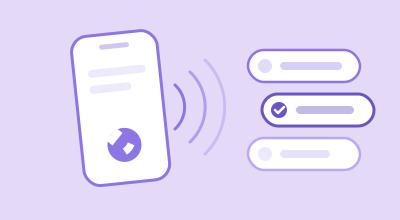
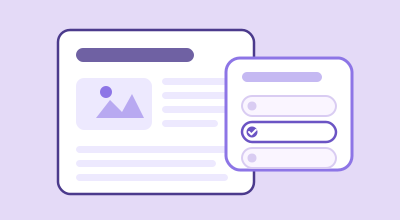
The gated card is the quiz an auto widget puts in your articles. Its questions open as the reader reads, watches or listens, so nobody is asked about a part they haven't reached, and the count gives them a reason to keep going.
Turn it on
- Create an Auto widget and paste its code into your article template. See Add Lexy to your site.
- Keep Widget Mode on Embedded card. To check, open the widget's menu on My Widgets, choose Edit, and look under Widget Mode.
- If you changed it, click Save changes.
Lexy writes each article's questions on its first visit, which takes a little while. Every reader after that gets them at once.
What readers see
- The first time a page is opened. The card says Writing questions for this page, and the button stays locked.
- Before they start reading. The count says what is waiting, such as 6 questions unlock as you read. The line above names the source: From this story, or From this story and its video when the page's video adds questions.
- As they read. The count climbs, such as 2 questions ready, with 4 more unlock as you read under it. The Play the quiz button opens as soon as one question is ready.
- When everything is open. The card says 6 questions ready, and the line under it becomes an invitation.
How many questions
An article gets six questions in all. When its video or recording adds questions, the six are shared by which carries more of the story.
| The page has | Questions |
|---|---|
| Text only | 6 from the article |
| Text and a video or recording, about even | 3 from each |
| Twice as many words spoken as written | 4 from the video or recording, 2 from the article |
| Twice as many words written as spoken | 2 from the video or recording, 4 from the article |
If the video or recording can't give questions, the article takes its share back.
What counts as reading
Each question is pinned to the point where its answer appears, and opens when the reader gets there.
- Stopping to read counts, scrolling doesn't. A position counts once the page has been still for a moment. A quick flick to the bottom counts for nothing.
- Time counts too. Progress can't outrun a fast reading pace.
- A playing video isn't reading. Scrolling while a video plays on screen doesn't count.
- A short story is read at a glance. If it fits on the screen, it counts as read.
- Listening is reading. Playing the article read aloud moves the mark as well.
- Progress stays. A reader who comes back finds their questions still open.
For video and audio, see Unlock questions as viewers watch and Unlock questions as listeners play.
Continue game
A reader can close the quiz part way, or shrink it with Minimize to get back to the article. The button then says Continue game, with Answered 2 of 6 and 2 more ready to answer, or how many still wait to unlock.
Continue game goes to the next unanswered question, with the score so far. The game waits in that browser for a week.
When everything is open
Once every question is open, the line under the count becomes an invitation.
| Reader | The line says | Tapping it |
|---|---|---|
| Finished a game on this page | You scored 4/6 · Play again | Starts a new game |
| Signed out | Log in to save your score | Opens sign-in |
| Signed in | Answer out loud or tap | Nothing; it is a hint |
See Reader accounts on your site for what signing in keeps.
Common questions
Can a reader skip the locks?
Yes. Once they have answered every open question, the quiz shows how far there is to go, with Check again and Unlock anyway.
Why doesn't the card show on some pages?
It writes from the article's text, so it needs a few paragraphs. On a page with very little text, it doesn't show.
How do I see it as a new reader would?
Open the article in a private window. Your own browser remembers what you have read.
Thanks for letting us know.
Thanks. Write to support@lexy.fm with what you were looking for, and we will answer and improve this page.