


Put the news brief on your site
A narrated news brief with a quiz at the end, updated with every edition.
The news brief is Lexy's narrated news. It has three stories an edition, read by Lexy, with captions, sources and a quiz on what was just heard. It refreshes three times a day, so a page that carries it always has the latest edition. It comes with the plan, as it is. A brief of your own, built for you, is an add-on. See Plans, add-ons and billing.
What readers get
- Three editions a day. Morning, Afternoon and Evening, each with three stories.
- A player with play and pause, a progress bar with one segment per story, and a short chime between stories.
- CC for word-by-word captions, with a full-screen view.
- Sources for the story playing now.
- A language picker with the languages you turn on. The choices are English, Spanish, Arabic and Turkish.
- Take the News Quiz, which pauses the brief and opens a quiz on the edition.
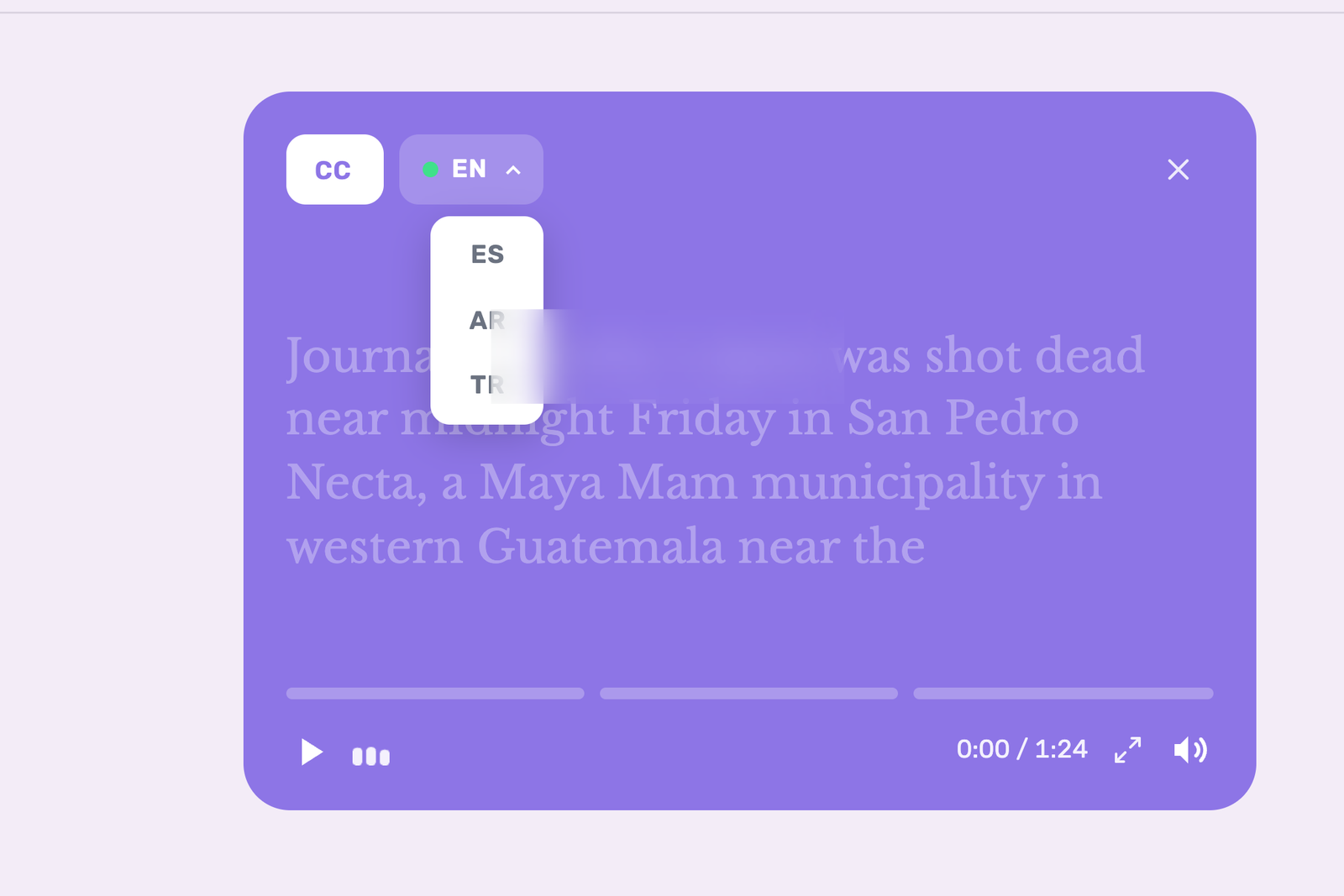
The news brief player on a page, with captions on and the language picker open.
Set it up
- On the My Widgets page, click Create Widget, then News Brief. You can also click Create in the header and choose Widget.
- Under Languages, choose the ones readers can switch between. At least one is needed.
- Enter your site under Allowed Domain, such as
example.com. - Set the color, or leave Auto on to take your brand color from the allowed domain.
- Click Preview Widget to see the player in your color and languages.
- Click Save widget.
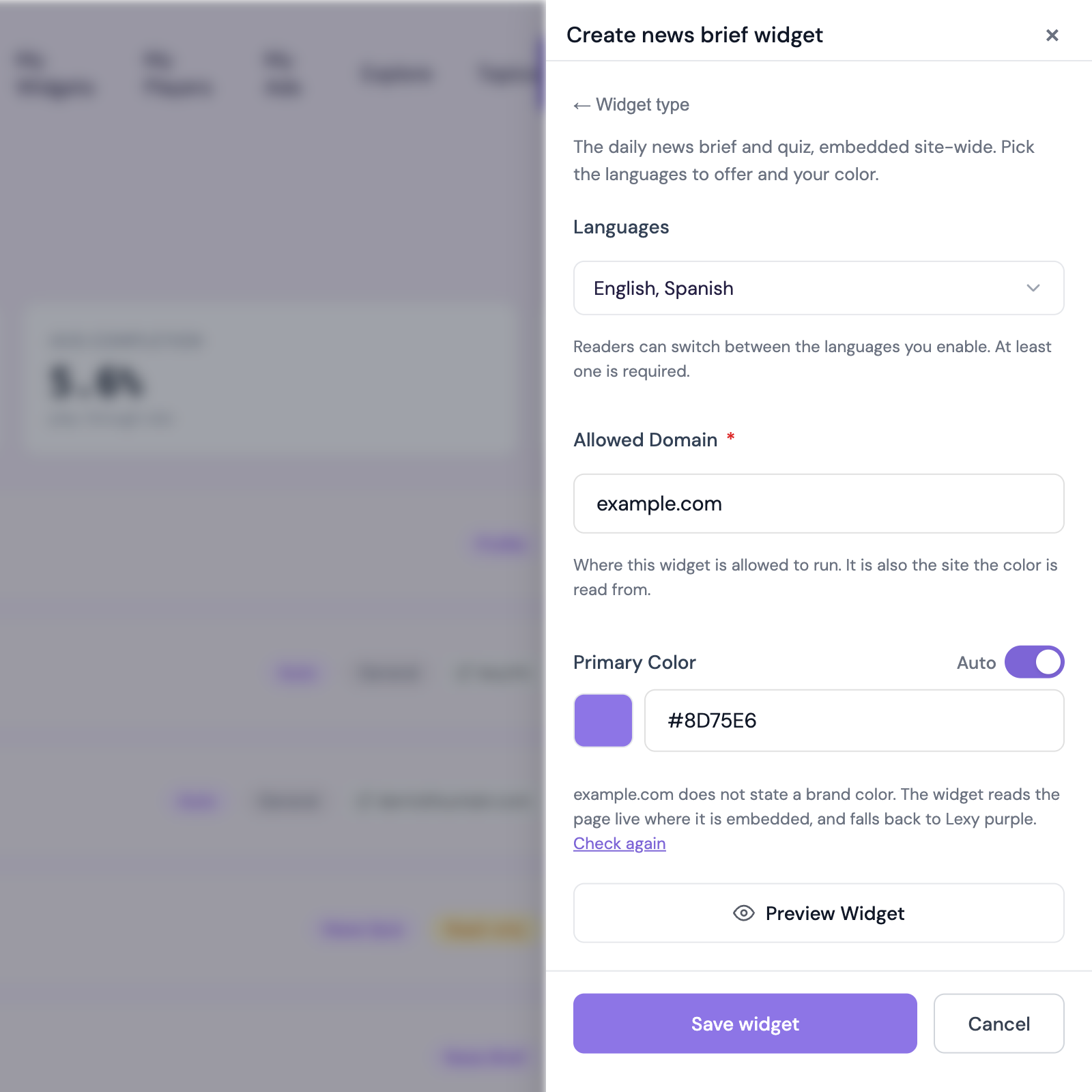
The News Brief settings, with two languages chosen and the allowed domain filled in.
Two widgets appear on My Widgets, the News Brief and its News Quiz. Both are marked Auto-updating, and each has its own embed code, so the quiz can also sit on a page of its own.
Get the embed code
Copy the code from the widget's Details on My Widgets, or choose Copy Embed Code from its menu, and paste it where the brief should play, the same way as any widget. See Add Lexy to your site. The News Quiz has its own code in its own Details.
To change the languages, color or allowed domain later, open the News Brief's menu and choose Edit.
Choose which controls readers see
The form has an Options section, closed until you open it. With the News Brief customization upgrade, you can set each of these three controls to Show or Hide.
| Control | Set to Hide |
|---|---|
| Language menu | The brief plays in the first language you enabled, with no menu to change it. |
| Take the News Quiz button | The button leaves the player. The News Quiz still has its own embed code. |
| Captions (CC) | The CC button leaves the player. |
Without the upgrade, the options show locked, with an Upgrade to unlock button that opens a message to the Lexy team. If the upgrade ends, the brief shows every control again.
The brief by phone
Readers can also have Lexy call them with the day's brief and its quiz. A Profile widget on your site gives signed-in readers the Daily news brief call, at 8 AM or 8 PM.
Common questions
Do I have to update it?
Each edition replaces the last by itself, audio and quiz included. The embed code stays the same.
Can I edit the news quiz?
The news quiz is rebuilt with every edition from the stories in it, so its questions are read-only. Its color and languages are yours to change, and saving a change to the News Brief's carries over to it.
When do the editions change?
Morning from around 5 a.m., Afternoon from around noon and Evening from around 5 p.m., US Central time.
Thanks for letting us know.
Thanks. Write to support@lexy.fm with what you were looking for, and we will answer and improve this page.