
Run ads in your games
Sponsor spots and house ads: read by Lexy, with a card and button on screen.
An ad in Lexy works like a TV spot inside the game. Lexy reads it in her own voice while a card with the sponsor and a button shows on screen. You sell the spots, you keep what sponsors pay, and your ads play only in your games and widgets.
What players get
- The read. Lexy says your script in the game's language, at one of two moments: right after the welcome, before the first question, or just before the score.
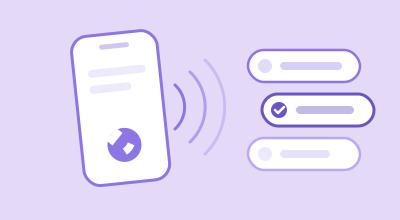
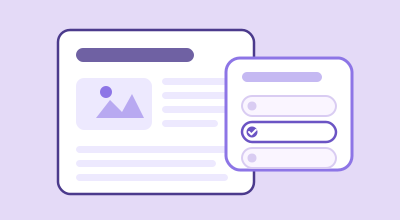
- The card. While the read plays, a card shows the title, an optional image and one button: a link or a phone number. The button takes the ad's colour and your own text.
- Everywhere they play. In web play, in your widgets, and on the screen that follows a phone call. On the call itself, the read plays in the flow of the game.
Sponsor or house
| Type | What it is | Where the button goes |
|---|---|---|
| Sponsor | A spot you sell to an advertiser. | The sponsor's page, or a phone number. |
| House | Your own promotion: a subscription, a newsletter, an event. | A page on your own site, one of your widgets' domains. |
Create an ad
- Click My Ads in the header, then New Ad.
- Fill in the ad. Each field is explained below.
- Click Save & generate audio. Lexy records the read, which usually takes a few seconds. Until the recording is ready, the ad doesn't play.
Use Preview Ad to hear the read and see the card before it goes live. Changing the card, button or dates keeps the recording; changing the script or the language records it again.
The fields
| Field | What it does |
|---|---|
| Name | Your own label. It is never read out or shown. |
| Type | Sponsor or House. |
| Status | Active plays. Paused and Archived do not. |
| Language | The ad plays in games in this language. |
| Placement | Intro (before Q1) or Pre-score (before results). |
| Script | Exactly what Lexy says, up to 600 characters. You choose all the wording, including how the sponsor is introduced. |
| Card title and Card image URL | What the card shows. The image is a web address (https://). |
| Primary color | The button's colour. |
| CTA type and CTA value | Link with a web address, Click to call with a phone number, or None for a card without a button. A call button shows on phones. |
| Button text | What the button says, up to 40 characters. Empty: Learn more or Call. |
| Weight | When several ads share a placement, a higher weight plays more often. |
| Max plays | Stops the ad after this many plays. 0 means no limit. |
| Start date and End date | The ad plays only between these dates. Both are optional. |
Read the report
On My Ads, click Stats on an ad. Pick a From and To date, or leave them for all time.
| Number | What it means |
|---|---|
| Heard | How many times the ad played. |
| Heard to the end | The share of screen plays that played the ad through. A phone call plays the whole ad. |
| Button taps and Tap rate | How many times the button was tapped, and the share of plays that led to a tap. |
| By surface | The same numbers for web play, your widgets and phone calls. |
| By game and Top sites | Which games and which of your sites it played in. |
Common questions
Does Lexy take a share of what sponsors pay?
No. What sponsors pay is yours. Lexy is paid by your subscription, not by your ads.
Will my ads play on other publishers' sites, or theirs on mine?
No. A game or widget plays only its owner's ads. A widget of yours plays your ads, whichever game is in it.
Why isn't my ad playing?
Check that it is Active, that its Language matches the game, that its recording is ready (no No audio label), that today is between its dates, and that it hasn't reached Max plays. When several ads share a placement, each play picks one by weight.
Can an ad break a game?
No. If an ad can't load, the game plays on without it.
Thanks for letting us know.
Thanks. Write to support@lexy.fm with what you were looking for, and we will answer and improve this page.