

Answer out loud, on the web and by phone
How players answer by speaking, in web play and on a phone call, in all four languages.
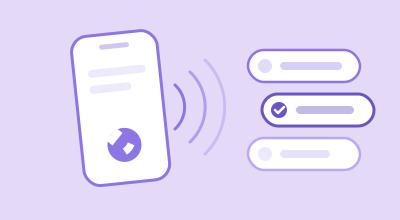
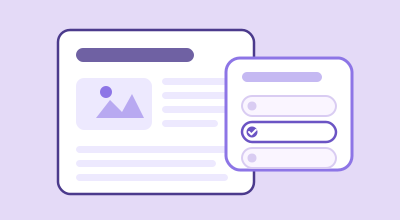
Lexy reads every question and its three answers out loud, and players can answer the same way, by speaking. On a phone call that's how the whole game works. In web play, on lexy.fm and in your widgets, a tap works too, so nobody is ever stuck.
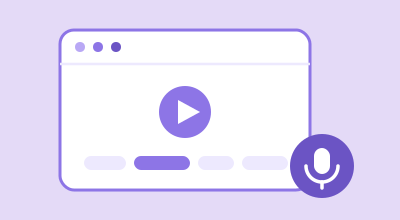
Answer out loud in web play
- In the play window, open the arrow next to Call Now to Play and choose Play Online.
- Lexy introduces the game, then reads the first question and its three answers.
- When she finishes, the microphone switches on by itself and the line under the answers shows that Lexy is listening.
- Say the answer. Lexy picks it, and the game carries on just as if the player had tapped it.
The first time, the browser asks for permission to use the microphone. Once allowed, it doesn't ask again.
What players can say
- The answer itself, or part of it: "Paris", or "the city of light".
- Its number: "one", "two" or "three", or "the second one".
- The same in the game's language: "dos" in a Spanish game, "iki" in a Turkish one.
While Lexy is still reading, a tap on an answer stops her and goes straight to the result. The microphone only listens once she has finished, so it never hears her.
The microphone button
The microphone button sits next to the sound button. It comes alive on each question, once Lexy is ready to listen.
- Tap it to turn voice answers off, and tap it again to turn them back on. The browser remembers the choice for next time.
- A crossed-out microphone means voice answers are off, or the browser has blocked the microphone. If it's blocked, tapping it tries the microphone again.
Some browsers, Firefox among them, can't listen. There the button doesn't appear, and players tap their answers.
Answer out loud on a phone call
A call is the same game, with no screen needed. Here's what a player hears:
- The welcome. A short tone, a greeting, and the name of the game. If you run a sponsor read before the first question, it plays here.
- Each question. Lexy reads the question and its three answers, then a chime.
- The answer. After the chime the player says the answer or its number. On a touch-tone phone they can also press 1, 2 or 3.
- The result. A right answer gets a celebration sound and a short reaction. A wrong one gets a short reaction and the right answer.
- The score. After the last question Lexy reads the score, says goodbye and plays the Lexy song. A sponsor read set to play before the score plays just before it.
When a player starts the call from a play window, the window follows along: it shows each question and its answers while Lexy talks, and the result after each answer.
To start a call, see Share a game by phone, QR code or link.
Languages
Every game has one language: English, Spanish, Arabic or Turkish. Lexy reads it in that language and listens in that language, on the web and by phone. A player answers a Turkish game in Turkish, numbers included.
When Lexy doesn't understand
- On the web, the line under the answers says that Lexy didn't catch it, and she keeps listening. The player can say it again or tap an answer at any time.
- By phone, Lexy asks again, up to three times. If there's still no answer, the question counts as wrong, Lexy gives the right answer, and the game moves on.
Common questions
Do players have to answer out loud on the web?
No. Tapping an answer always works, and a player can turn voice answers off with the microphone button.
Does a spoken answer count the same as a tap?
Yes. A spoken answer goes through the same scoring as a tap, and shows in your stats the same way. See Read your game stats.
Thanks for letting us know.
Thanks. Write to support@lexy.fm with what you were looking for, and we will answer and improve this page.